

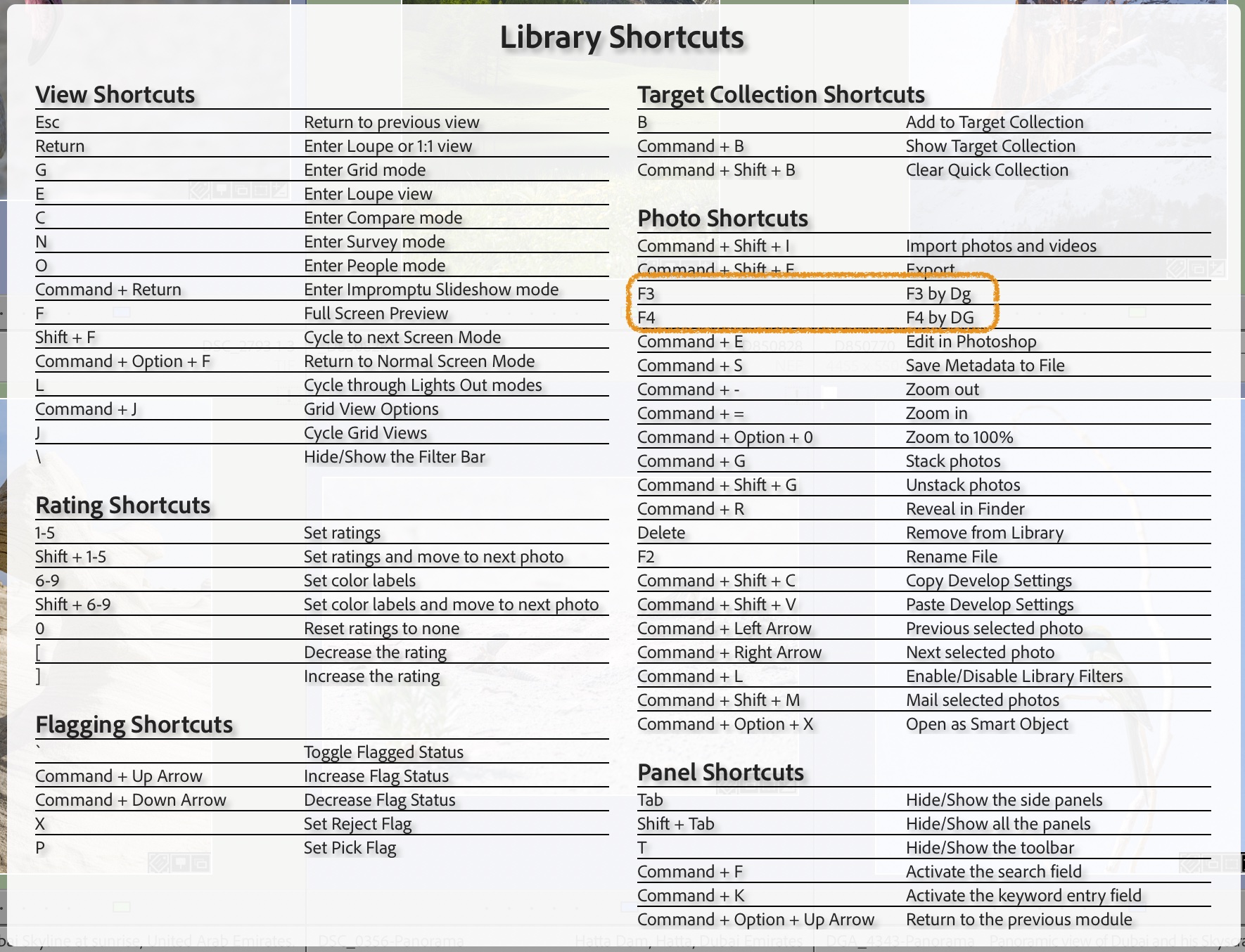




If you’re using the English version of Lightroom with a keyboard in another language, as I do, you may encounter issues with some keyboard shortcuts not functioning correctly in LIGHTROOM CC. So, how can you change or create keyboard shortcuts to address this?
Referencing the instructions provided in this article (https://www.lightroomqueen.com/custom-keyboard-shortcuts/), I created my own keyboard shortcuts and modified the “Library Module Shortcuts” in the “Help Menu” to remember the assigned keys.
Here are the steps I followed to edit Lightroom’s TranslatedStrings file and assign F3 & F4 to rotate pictures in the Library Window:


Et voilà! Just close and re-open Lightroom Classic to enjoy the changes.
Find
“$$$/AgLibrary/Help/Shortcuts/RotateLeft=Rotation antihoraire”
“$$$/AgLibrary/Help/Shortcuts/RotateLeftKey=Maj + W”
“$$$/AgLibrary/Help/Shortcuts/RotateRight=Rotation horaire”
“$$$/AgLibrary/Help/Shortcuts/RotateRightKey=Maj + Q”
and
“$$$/AgLibrary/Menu/Photo/RotateLeft=&Rotation antihoraire”
“$$$/AgLibrary/Menu/Photo/RotateLeft/Key=Shift+w”
“$$$/AgLibrary/Menu/Photo/RotateRight=Rotation &horaire”
“$$$/AgLibrary/Menu/Photo/RotateRight/Key=Shift+q”
Final updated file
“$$$/AgLibrary/Help/Shortcuts/RotateLeft=F3 by Dg”
“$$$/AgLibrary/Help/Shortcuts/RotateLeftKey=F3”
“$$$/AgLibrary/Help/Shortcuts/RotateRight=F4 by DG”
“$$$/AgLibrary/Help/Shortcuts/RotateRightKey=F4”
“$$$/AgLibrary/Menu/Photo/RotateLeft=&Rotation antihoraire”
“$$$/AgLibrary/Menu/Photo/RotateLeft/Key=F3”
“$$$/AgLibrary/Menu/Photo/RotateRight=Rotation &horaire”
“$$$/AgLibrary/Menu/Photo/RotateRight/Key=F4”
Leave a Reply
You must be logged in to post a comment.